Alpha, distributed.
One network, two sides. Creators publish edge — signals, trade alerts, strategies, algorithms. Allocators deploy capital behind it. A provider can be a person or a program.
Algorithmic traders · algorithm & bot providers · signal & strategy providers · quant researchers · analysts
Serious retail traders · trading desks · family offices · capital allocators
Distribute signals & alerts
Fan out from any channel to consumer accounts and messaging apps, with full delivery tracking.
Publish strategies & algorithms
Discretionary or fully algorithmic — packaged as reusable strategies.
Build private networks
Grant and revoke access; route by workspace and trading-account bucket.
Test & compare alpha
Per-source performance snapshots build credibility over time.
Monetization is an emerging capability — built for providers, researchers, and builders to eventually turn edge into a business.
Every provider measured the same way.
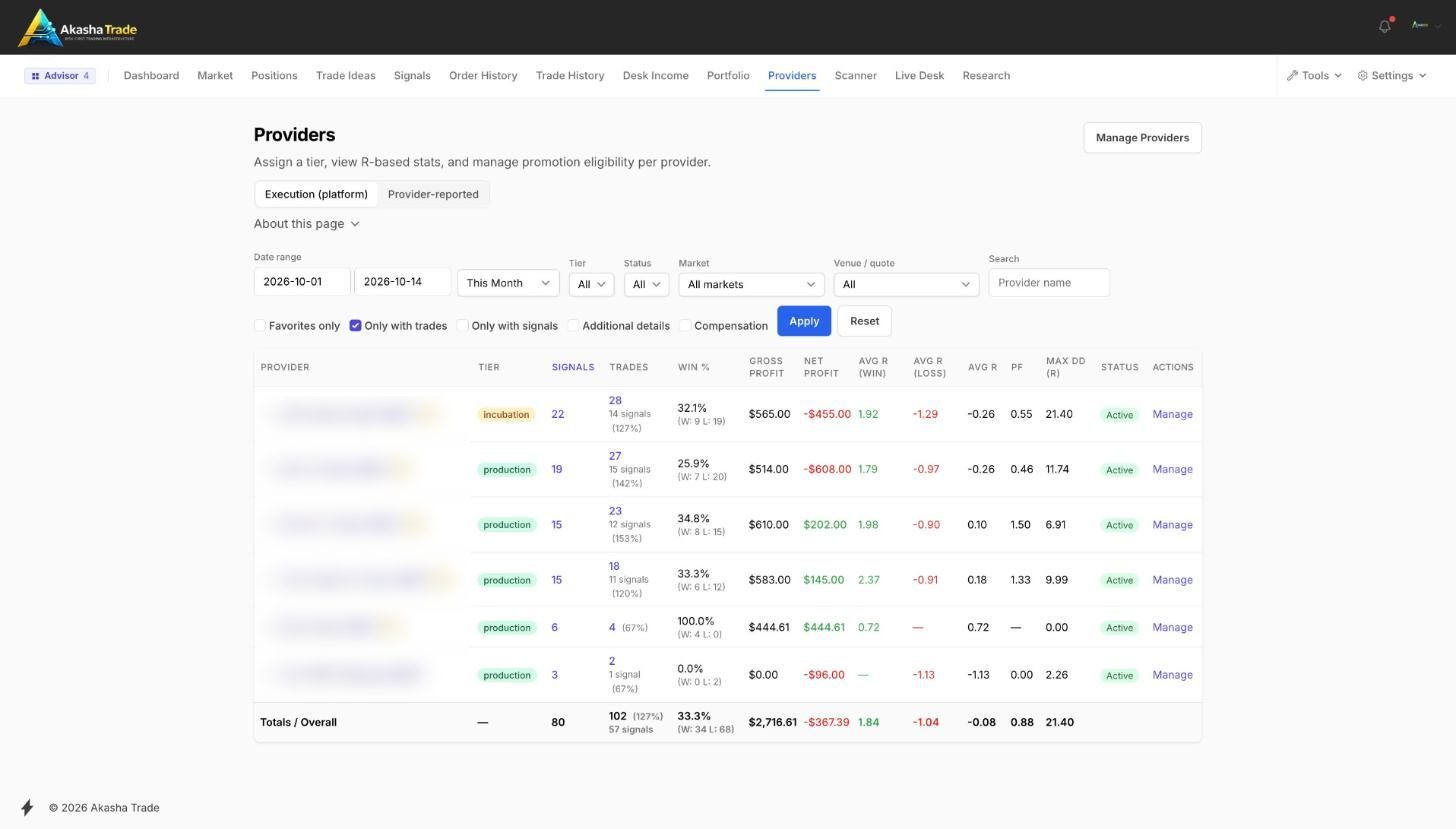
Win rate, gross and net profit, average R on wins and losses, expectancy, profit factor, max drawdown in R — computed live from closed executions, per market, with the honest sample size (signals, not fills) beside every number. Tiers and status on the same row.
Every book on one screen.
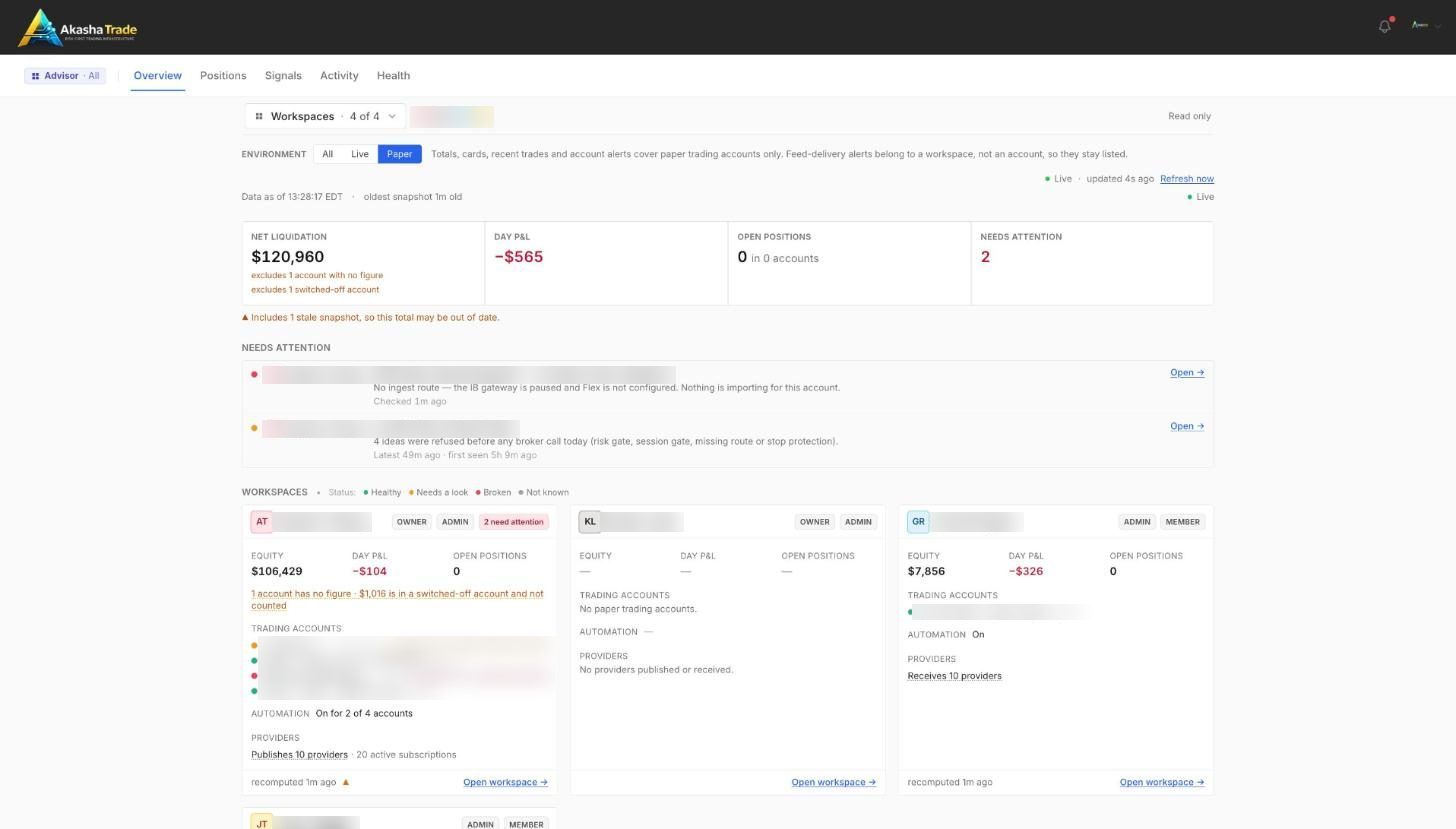
The advisor overview unions every workspace you are a member of: net liquidation, day P&L, open positions, a needs-attention queue, and a card per workspace with its accounts, automation state and providers — live or paper, by membership, never a master key.
- Positions by workspace or by underlying
- Signal fan-out matrix: who receives what
- Activity and health tabs with freshness
- Advisor view / manage presets; an advisor is never an admin